
Private sign-in
Live organisation data requires an authorised account.
ACCESS & CONTROL
Operational ERP access starts with sign-in. Administrators configure roles and individual rights; visible sections and tills follow assigned permissions.
ACTUAL SCREEN
The permission matrix shows which actions a role allows. Rights changes and other significant actions appear in the action log within the implemented audit scope.
See it in the demo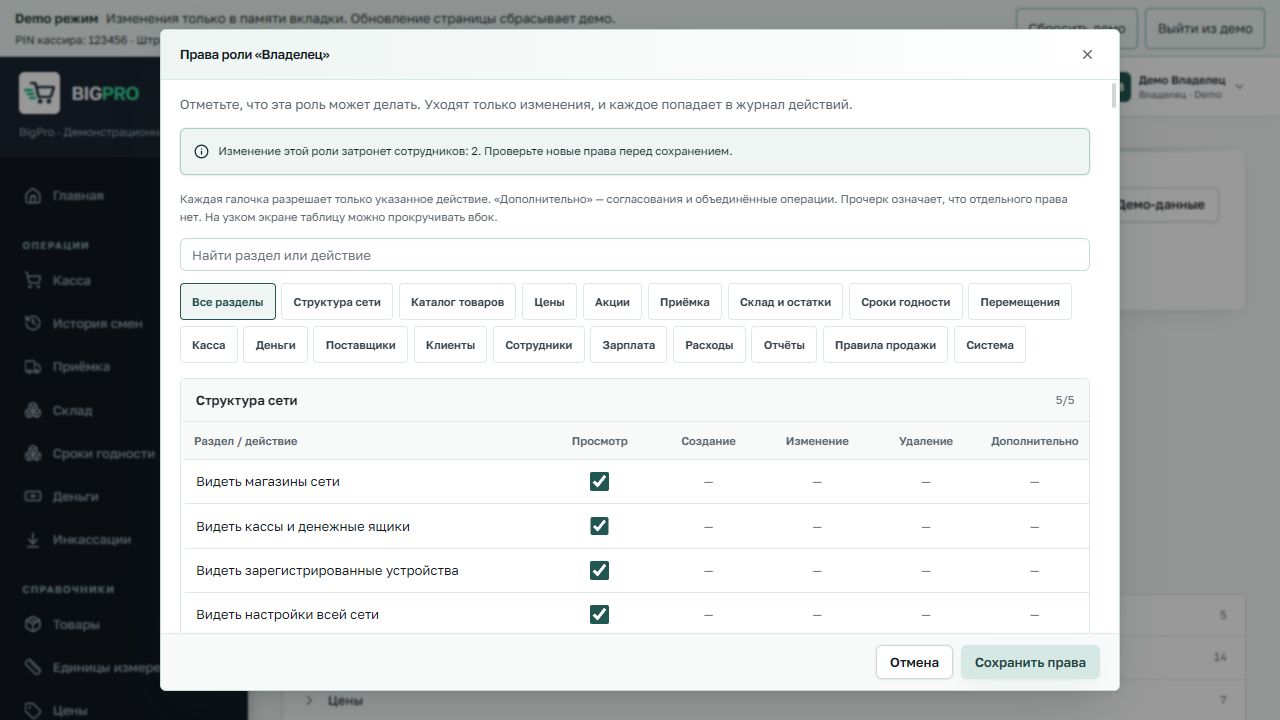
Live organisation data requires an authorised account.
Rights govern employee actions and available stores and tills.
Fictional demo data cannot change live organisation records.
REPORT AN ISSUE
Email [email protected]. Do not post user data, passwords or exploitation details publicly. We do not claim unverified certifications or security guarantees.